
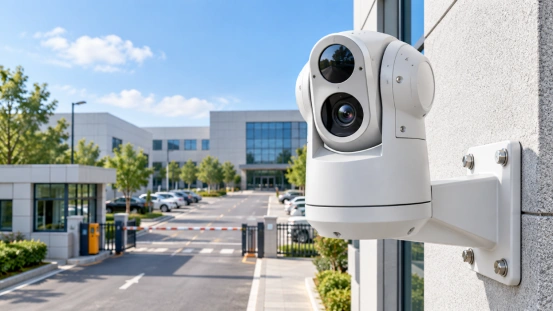
A high-resolution security camera packs more pixels. You get to zoom in tight on the recorded security camera footage. This trick really helps out. It comes in handy when you must spot a face, a car, or an item after something happens.
Sharp details still rely on the distance. They also depend on the lens and the lighting. The camera angle plays a big part. Recording settings matter just as much. First, decide exactly what you want to watch. Next, choose the best spot to mount the camera.
What Does Security Camera Resolution Tell You?
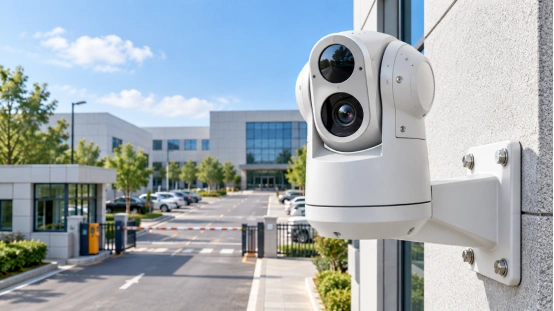
Security camera resolution tells you the exact pixel count inside one video frame. Take a 1920 × 1080 picture. It holds roughly two million pixels. Folks usually name this 1080p or 2MP. Plus, a 4K security camera captures 3840 × 2160 pixels. These tags only point out the picture dimensions. They skip details about the lens. They ignore how the gear handles dark areas. Also, they leave out file compression and the final screen display.
Pixels, Distance, and the Recorded Scene
Having more pixels keeps extra visual details in the same view. But, your target must take up enough space in the picture. A camera might watch a big parking lot. It can show cars moving around. Yet, a far-away license plate might be too small to read. You can fix this. Just narrow the view using an optical zoom lens. This puts a larger part of the recorded image right on your target.
You should pick a megapixel security camera based on what you need. Think about the details and the distance. For a door, you might want a clear picture of a face right at the entrance. For a big yard, you might want to see the whole area. Then, you might need a second, closer look at the main gate.
How Can High Resolution Help You Review Security Camera Footage?
Bigger pixel sizes give you extra picture data to look at later. This is great for playing back video. It helps you track someone walking into a bright lobby. You can also watch a car as it drives down a watched road. Where you place the camera is very important. A ceiling camera looking down might only catch the top of a hat. But, a camera placed near eye level captures much better facial details.
Cropping and Digital Zoom
Digital zoom just makes the recorded pixels bigger. It cannot add new details. If the camera missed something, zoom will not fix it. You might want to look closely at a tiny spot in a large area. If so, pick a tighter optical view. Or, you can just place a second camera close to that spot.
Motion and Frame Rate
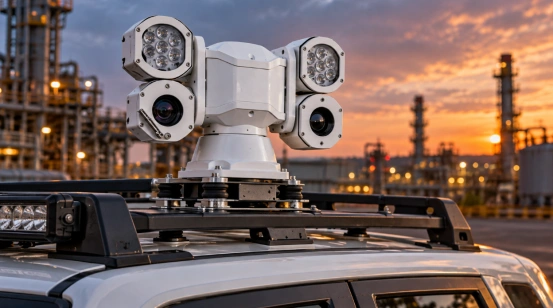
Quick movement can make a picture blurry. High resolution by itself will not freeze a moving target. You must check other things. Look at the frame rate and shutter settings. Also, check the lighting and how strong the mount is. This matters for doors, streets, and moving setups. A vehicle PTZ camera needs a special mount. The housing must handle constant movement and shaking.
Which Factors Shape Security Camera Image Quality?
The image quality of a security camera comes from many steps. Light goes through the lens first. Then, it hits the image sensor. After that, the system processes the video. This gets it ready to record and send. Cameras usually have day and night modes. They use infrared or white-light bulbs. Some models even have starlight color imaging for dark areas. You must pick the best light mode for your exact location.
Lens, Field of View, and Camera Placement
The lens decides how much space shows up in the picture. A wide lens takes in a big area. A telephoto view is different. It spreads a faraway target over more pixels. Always check your target distance. Look at the field of view before you pick the resolution. Moving the camera closer helps a lot. Adjusting the lens works well too. These steps are just as good as adding more pixels.
Lighting and Night Recording
At night, infrared lights help make clear black-and-white videos. White light is useful too. It keeps the colors bright in certain camera modes. Some starlight cameras record in color even when it is very dark. You should test your area after the sun goes down. Look closely at shiny glass, wet roads, and nearby walls. Sometimes, infrared light bounces off a close wall. This bounce can make part of your video look totally white.
What Should You Check across the Recording System?
A high-resolution camera sends a very big data stream. The recorder and network must handle this load. HD video needs a good, full path. This path includes the camera, cables, compression, and storage. It also involves decoding and the final screen. Test every single part before you install it. This keeps your video safe and ready for the days you need to keep it.
Compression, Bandwidth, and Storage
Network cameras shrink files using video compression like H.264 or H.265. Many things change your network and storage needs. These include codec support, bitrate, and frame rate. Moving objects, recording hours, and the number of cameras matter too. You should ask for a storage guess. Base this on your settings and how long you want to keep the files. Just knowing the codec name is not enough to plan your hard drives.
Recorder and Display Compatibility
Make sure the NVR or video system works well. It must catch, record, decode, and play the video stream. Check your screen size and computer software too. A huge video stream needs a strong screen to play it right. This helps you look at the tiny pixels in their real size. After you check the whole system, read the security camera product details. Look closely at the model and stream facts for your specific job.
How Do You Choose a High-Resolution Security Camera?
Treat your location as a main checklist. A camera built for a quiet hall is different. It will need changes to the lens, lights, and recording rules to track a moving car. The same goes for a huge outdoor yard. Only pick a high-resolution security camera when you really need tiny, sharp details in your view.
Write down the exact things you want to catch, like a face, a box, or a car.
Guess the distance and pick your field of view.
Test the day and night light right at the mounting spot.
Check the bitrate, network speed, storage days, and NVR limits.
Watch sample video clips or try the camera in its final place.
A 4K security camera is great for a wide area. It helps when you must look closely later. A 2MP camera works fine for a tighter view. It does well when your target is clearly framed. Use your field test and storage plan to write down all the settings. Give this paper to your installer.
How Should You Apply These Checks Before Purchase?
A high-resolution security camera is perfect for a job when everything matches up. The lens, lights, network, recorder, and storage plan must fit your goal. You should review the security camera footage from the exact spot before you buy. A quick site test helps a lot. It gives the installer a real record of the image facts and the exact settings the system needs.
What Can a Vehicle PTZ Camera Add to a Moving Scene?
Mobile cameras deal with shaking, shifting views, and dark driving times. Shuoxin offers a strong 2MP vehicle PTZ camera. It shoots 1920 × 1080 video. It has a big 33× optical zoom and a bright 150-meter infrared lamp.
The product facts also list neat parts like shock absorbers. It comes with heated glass to stop fog. It uses H.265/H.264/MJPEG compression and has a full 360-degree turning range. Look at different vehicle PTZ camera options. Compare those facts with your truck, target distance, NVR, and picture needs.
FAQ
Q1: Does a high-resolution security camera identify faces at any distance?
A: Catching a face needs enough pixels on it. Camera angle and focus matter. Motion and lighting play a part too. Watch sample clips from the exact distance. Do this before picking the lens and mounting spot.
Q2: Is a 4K security camera suitable for every project?
A: Pick the security camera resolution to fit the job. Check the view size and network speed. Look at the storage plan and recorder limits. A real site test shows the truth. It proves if the picture keeps the details you need.
Q3: Does security camera resolution affect storage planning?
A: Yes, you must plan your hard drives using resolution, bitrate, and frame rate. Recording hours, saved days, and camera count matter too. Always ask for a math guess using the real stream settings and the codec your recorder uses.
Q4: Can digital zoom replace optical zoom?
A: No. Digital zoom just stretches the saved pixels. Optical zoom moves the lens first. It does this before recording starts. This puts extra real pixels right on a distant target.
Q5: What should you check in a vehicle PTZ camera?
A: Look at the resolution and optical zoom. Check the night lights too. Note the frame rate and file compression. Test the pan and tilt reach. Verify the power input. Also check vibration protection and recorder limits. Finally, watch sample video from a set distance.