
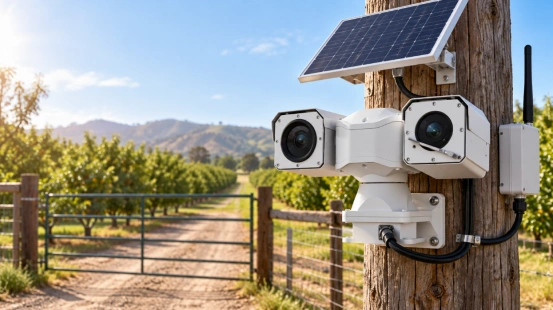
A big warehouse door, a farm gate, or a short-term work area needs a good camera connection. The setup must fit the exact spot. A surveillance camera without WiFi can record through wires. It can also save video right there on the device. Sometimes, it uses cell service to let you look from far away.
When you look at different security camera systems, ask three simple questions first. Where will your video go? How will you get it back later? What gives the camera power? Your answers will show you the real benefits you get.
How Does a Surveillance Camera Without WiFi Work?
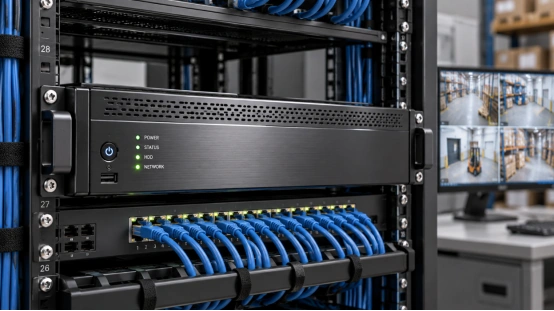
A security camera without WiFi can use a standard Ethernet cord. It sends the video to a network video recorder, called an NVR. An older analog camera uses a round coaxial cable. It sends the video to a digital video recorder, or DVR. Both setups let you watch live video. You can also play back old clips on a screen right there.
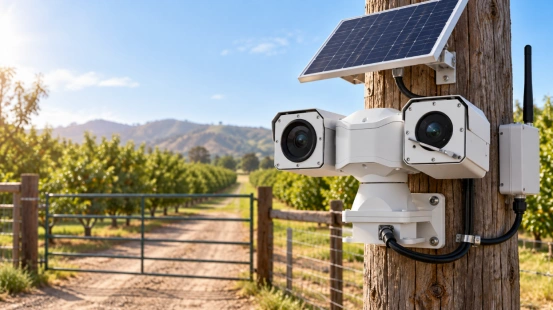
Some standalone cameras save video straight to an SD or TF card. Cellular models use a SIM card. They use mobile phone towers so you can watch from far away. Solar panels give the camera power. But, the camera still needs a way to save and share video. Check the setup steps closely. Some cameras need an internet connection just once to start. After you make an account, the offline recording works fine.
7 Benefits of Using a Surveillance Camera Without WiFi
Each good point comes from a specific setup. Match the video path, power source, and wires to the job your camera has to do.
1. Keep Local Recording Active During Internet Outages
A compatible security camera without internet can keep saving video. It puts clips onto its memory card or local recorder. Your proof stays safe even if the building loses its main web connection. The power, storage space, and cables just need to keep working. Looking from far away and saving to the cloud need a working outside connection. Try out the offline recording before you put the camera on the wall. Then, play back the saved video to check it. A blinking light on the camera tells you very little about the video quality.
2. Use Wired Connections at Fixed Locations
Ethernet and coaxial cables make a real, physical path for video. They connect cameras to recorders. For matching gear, a PoE camera system sends power and data over one Ethernet cable. This makes running wires to each spot much easier. Vehicle setups need a different check. When you compare vehicle PTZ cameras, look at the video plugs. Check the control wires and the DC power needs too. PoE support changes from model to model.
3. Store Routine Video on Site
A local storage security camera puts video on a memory card or a machine in the building. Normal daily video stays right there. This saves your internet speed. You keep that speed for watching from far away and making small backups. Matching systems can keep the big, clear video right there. They send a smaller video stream for remote viewing. Some cameras also push saved clips to the cloud after the web comes back. Check the camera and recorder details to find this recovery feature.
4. Control Footage Access
Local storage lets you pick how many days to keep video. You control who plays it back and who takes copies. You also control who can touch the hard drives. An NVR or DVR gathers video from many cameras into one spot. This makes watching video at the building very easy. Put the recorder in a safe room. Set up different user accounts if the machine lets you. Hide the main password well, and save copies of big events. A thief might steal a camera and take its memory card too.
5. Reduce Cloud Storage Subscription Costs
When gear supports local recording on its own, you can plan your money better. You just pay for memory cards or hard drives. Find out if playing video, catching motion, and saving clips cost extra money each month. Your final cost still includes putting the camera up. It includes buying new hard drives later, fixing broken parts, and paying for power. Cell data plans add more fees. Ask about all these costs before you buy a system just because it looks cheap.
6. Reach Sites Through Cellular Coverage
A 4G security camera lets you watch places from far away. It works great at a farm gate or a building site with a good cell signal. You can place the camera where you need to watch things. But, you must also have a strong mobile signal there. Test the phone company signal right at the exact mounting spot. Watching live video, sending clips, and talking through the camera burn a lot of data. If you watch often, you must plan for a bigger phone bill.
7. Use Solar Power at Remote Mounting Points
A solar security camera connects a solar panel to a battery. This gives power to spots where running wires is too hard. This setup fits farms, dirt roads, and quick work sites. Pick the panel and battery size based on how much power the camera uses. Think about the weak winter sun, cold weather, and how many hours it records. Catching motion uses less power. Recording all day and night needs a huge battery. A few cloudy days in a row will drain a small power setup fast.
Which Setup Fits Your Property?
For a large warehouse or a small store, wired cameras and an NVR work best. They keep all video in one safe place. If you already have round coaxial wires in the walls, a DVR might work fine. Out at a far-off farm, check both the cell signal and the daily sunshine.
If you go to the site often, you might just need video to look at later. A standalone camera with offline storage works well here. Just figure out how you will get the video out. See if you need special software to play it.
What Should You Check Before Buying?
Start by looking at the recording mode and how long it saves video. Many things change how much storage you need. Think about the number of cameras, bitrate, resolution, frame rate, and compression. The hours you record each day matter too. A memory card’s size alone does not show how many days of video it holds.
Next, check how well it sees in the dark. Check the viewing distance, safe temperatures, rain protection, and backup power. Ask which features still work offline. This includes local motion catch and alarms. Phone alerts and remote talk usually need an outside web connection.
Finally, ask for a sample video clip. Try to play it, save it, and test what happens when power drops. The video clip you can actually open is the only one that counts.
Match Local Recording to Mobile Site Conditions
For watching from a moving vehicle, pick your surveillance camera without WiFi carefully. You must think about heavy shaking, moving views, and dark nights. These hard conditions make the tough camera body part of your plan.
Shuoxin offers a 150 m night-vision vehicle PTZ camera. It features 33x optical zoom, continuous 360-degree rotation, and strong shock absorbers. It also has heated glass and runs on 12 V DC vehicle power. Its IP66 rating and RS485 control interface give you clear details to check for rough mobile setups.
For a fully offline system, make sure the recorder matches. Check the storage space and all the control wires. If you want a cell link or solar power, list those parts clearly before you buy.
FAQ
Q1: Can a camera record without WiFi or internet?
A: Yes. Matching models can put video on a memory card. They can also use a local NVR or DVR. Make sure it works offline. Finish the first setup steps, and keep the power on.
Q2: Can you view the camera remotely on your phone?
A: Watching from your phone needs an outside connection. You need wired internet or a cell signal. You also need remote access tools. Full offline systems mean you must go to the building to watch video.
Q3: Does a 4G camera need a data plan?
A: Yes. A cell connection needs an active SIM card. You need a good phone plan and a strong signal. Check the allowed carrier bands. Also, check how much data the camera eats up.
Q4: Can a solar security camera record continuously?
A: Some cameras can record all day and night. Other cameras only record when something moves to save power. Find out what mode works. Then pick a battery and solar panel big enough for that power draw.
Q5: How long will an SD card store footage?
A: The days of video rely on card size, bitrate, and recording hours. Overwrite settings matter too. Check the camera’s storage guess. Then, test it out with real video clips from your location.