
Fleet monitoring cameras need a steady power flow right at the plug. A vehicle PTZ camera power supply must exactly match the camera’s needed input. It also has to handle wire power loss and engine start-ups.
Plus, it must give enough power when the camera moves (pan, tilt, zoom) or turns on its infrared lights. A car or truck might say “12 V” or “24 V” on it. That just tells you the basic power class. Always check the camera input voltage before you plug it in.
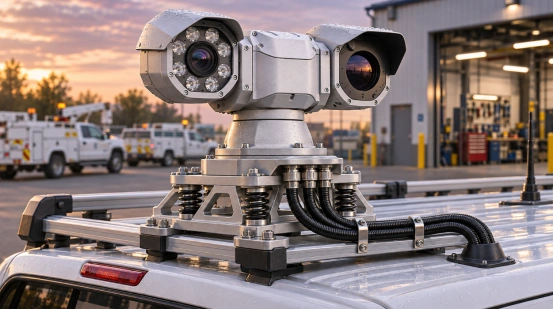
Which Voltage Should a Vehicle PTZ Camera Use?
DC 12 V and AC 24 V are normal power types for security cameras. But these common numbers do not tell you the exact needs of one specific vehicle PTZ camera. You need to look at the model sticker. Also, read the newest data sheet. Find the input type and the safe voltage range. Check the polarity, the highest current it draws, and the connector pinout.
Many cars and trucks have power jumps and drops when they start or charge. If your camera needs a very steady power feed, you should use a vehicle-rated DC-DC converter. Pick one that can handle the camera’s full power load. Do not just look at the battery sticker to pick your converter. For example, one vehicle PTZ model has a 33× optical zoom. It also offers optional shock absorbers. However, its spec sheet does not clearly list its power supply range. You must ask the seller about this before you put it in.
How Do You Wire a Camera to a 12 V or 24 V Vehicle System?
Plan your 12V/24V vehicle camera wiring as a safe, separate branch. It needs a clear positive wire and a solid ground wire. First, read the car maker’s rules for adding parts. Next, match every wire setup to the camera manual. Make sure the power wires are easy to reach later. This way, a worker can turn off the camera power without messing up other parts of the truck.
Build a Protected Power Branch
Run a separate power wire from a safe main power box. Add a fuse to it. Put the fuse very close to where the power starts. This keeps the whole long wire safe. Pick the fuse size by looking at the wire’s safe limit and the camera’s highest power need. Make sure to count the power it uses to start up and run extra parts. The fuse stops too much steady power from flowing. At the same time, transient protection catches very fast power spikes.
Use the exact connector the manual asks for. Watch the plus and minus signs at both ends. Cover bare wire joints to keep out water, rubbing, and shaking. Try to put power wires far away from the video and control wires. Use the ground spot that the maker suggests. Make sure it touches clean metal and holds on tight. A bad ground wire can make the camera turn off and on. It can also cause messy video lines or PTZ faults.
How Do You Calculate Voltage Drop in a Camera Cable?
Power loss in a camera wire depends on a few things. It changes with the metal type, wire thickness, wire length, and the power load. First, measure how far the wire goes one way. Then, do the math for a round trip, since power goes out and comes back. For copper wire, you can use this simple math rule:
Voltage drop = 2 × one-way length × current × 0.0175 ÷ conductor area
Use meters for your length. Use amperes for your current. Use square millimeters for the wire thickness. For example, think about a 5 m copper wire going one way. If it carries 5 A and is 1.5 mm² thick, the power will drop by about 0.58 V. This is just a guess. The real drop changes if the plugs are dirty, the wire gets hot, or the camera works harder.
Find out how much power the camera uses when it works its hardest. A PTZ camera pulls more power when it spins around. It also uses more when the IR lights or a heater turn on. Test the power right at the camera plug during these hard tasks. If the power drops below what the camera needs, you must fix it. You can make the wire shorter. You can use a thicker wire. Or, you can put the converter closer to the camera.
What Voltage Spike Protection Does Fleet Monitoring Need?
Car and truck power systems can be rough on gadgets. They have power dips when starting up. They also get sharp power spikes from the alternator or big motors turning on and off. A fuse fixes slow power overloads. But you need a transient protection module to catch fast, wild power spikes. This car-rated spike blocker must fit the truck’s main power type. It must also match the camera’s safe input range.
Choose Protection for the Camera’s Input Range
Pick a vehicle-rated DC-DC converter or a spike blocker that lists its safe input range. It needs to send out a steady power flow that fits the camera exactly. It must also handle the right amount of current and block sudden spikes. Talk to your seller or installer. Ask them how it handles big power dumps and fast switching. A good spike blocker needs a clamp level that keeps the camera safe. It also needs enough strength to take big hits on that wire path.
Put this safety part in by following its exact guide. Keep it close to the camera’s power wire line. Use the ground path that the maker says is best. If your converter does not have a backwards-wire blocker, you must add one. Do not stack random spike blockers together. If their levels do not match, the camera might still break. Bad grounding can also make the camera turn off for no reason.
How Do You Test the Installation Before Fleet Deployment?
You must test the power at the battery and at the camera plug. Do this when the engine is off. Do it again while the engine is starting. Finally, check it while the engine is running. Next, make the camera pan, tilt, and zoom. Turn the infrared lights on. Check the screen to see if the live video keeps playing. Make sure it keeps recording the whole time without turning off and on.
Take the truck for a drive. After the road test, look at the fuse and all the plugs. Make sure they are tight. Check the wires to see if they rub on sharp metal. Check the ground wire again. Feel the converter to see if it is too hot. Look at the camera mount. Check everything one more time after a full day of work. Writing down the power numbers under a heavy load is smart. It gives you a good starting point if the camera acts weird later.
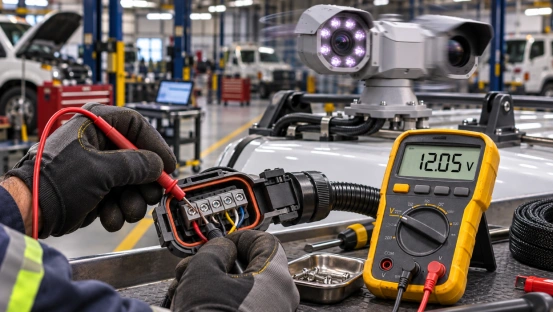
Choose a Vehicle PTZ Setup That Fits the Power Plan
А Шуосинь vehicle PTZ lineup has a neat choice. One model comes with a 33× optical zoom. It also has optional vehicle shock absorbers. These features help you see very far and handle bumpy roads. But, the papers for this model do not say what power input it needs. Because of this, you must find out the exact camera voltage and current.
You also need to know the connector pinout and spike rules. Do this before you buy a converter or a fuse. Look through the whole vehicle PTZ camera list. You can also visit the Shuoxin website to learn more about their items.
ЧАСТО ЗАДАВАЕМЫЕ ВОПРОСЫ
Q1: Can I connect a vehicle PTZ camera directly to a 12 V battery?
A: You can only do this if the camera’s spec sheet says it matches that DC input range safely. The truck’s real power must also stay inside those limits. If it does not, you must use a good vehicle DC-DC converter.
Q2: Does a fuse protect a camera from voltage spikes?
A: No, it does not. A fuse just stops the wire from getting too much steady current. You must use a vehicle-rated transient suppressor or a safe DC-DC converter to stop wild power spikes.
Q3: What wire gauge should I use for a vehicle PTZ camera?
A: Pick the wire size by checking the one-way length and the highest camera current. You also need to look at the safe power drop limits and the truck’s wiring rules. Always check the power right at the camera when the PTZ and IR are working hard.
Q4: Do 12 V and 24 V fleet vehicles need different camera wiring?
A: Yes, partly. The converter input limits and spike blockers must fit the exact truck you have. But the power coming out of the converter must always match what the camera needs to run safely.
Q5: When should I test the camera’s power supply?
A: Test the power when the engine is starting up. Test it again when the engine is running. Do it while moving the PTZ, turning on the infrared lights, and running any heaters. Watch out for random reboots. Make sure the power never drops below the camera’s minimum need.