
The live view looked fine on Monday. By Friday, the incident recording was missing or the camera had dropped offline again. Security camera failures often begin with a loose connector, a wrong setting, or weak power. Good security camera troubleshooting starts with one rule: repair a verified cause, then consider an upgrade when the fault returns.
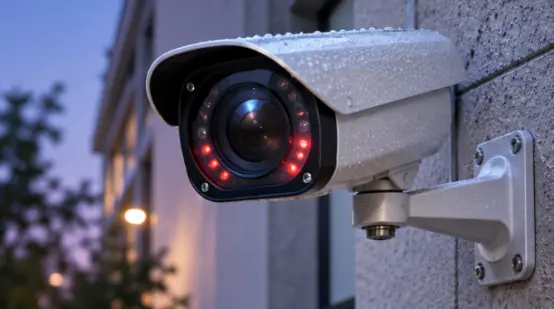
How Can You Separate a Quick Fix from an Upgrade?
A quick fix addresses one clear cause, such as a dirty cover, an incorrect IP address, or a full drive. An upgrade addresses repeated failure, permanent damage, or insufficient capacity.
Record the Symptom before Changing Settings
Record the time, weather, camera name, power state, and failed function. Check one item at a time. This log helps you fix security camera problems before a reboot hides the cause.
Use Recurrence as the Upgrade Signal
A second outage after a new cable or correct power supply points to a deeper fault. Frequent service calls, unavailable firmware, and missing evidence support an upgrade decision.
1. Why Is the Security Camera Offline or Showing No Video?
A security camera not working may have lost power, network access, or the correct address. Follow its connection to the recorder or router.
Quick Fixes for Power and Network Faults
Confirm voltage and polarity, then inspect the connector and Ethernet cable. For a security camera offline on an IP system, verify the password, IP address, and network segment. Restart each device once and install approved firmware that addresses connection faults.
When Offline Problems Point to Replacement
Replace a camera that reboots under correct voltage, drops offline with a tested cable, or has a damaged port. Water inside the housing also supports replacement. A PoE switch that cannot supply the night load needs more capacity.
2. Why Is the Security Camera Image Blurry?
A blurry security camera may have dirt, protective film, poor focus, a closed aperture, or an unsuitable lens distance.
Quick Fixes for Soft or Hazy Video
Clean the lens and transparent cover. Remove shipping film, stickers, spider webs, and nearby obstructions. Check focus, aperture, connectors, voltage, and interference. That thin shipping film has fooled plenty of installers. Retest from the final mounting position.
When Poor Detail Requires New Hardware
Replace equipment when condensation returns, autofocus drifts, or the lens mechanism binds. Upgrade a working camera when its resolution or focal length cannot identify the target.
3. Why Does Night Vision Turn White or Stay Dark?
Security camera night vision problems often begin when infrared lights switch on. A wall, glass, or metal surface can reflect infrared light into the lens. Weak power may restart the camera.
Quick Fixes for Infrared Problems
Remove reflective objects and match the infrared range to the viewing distance. Keep the dome close to its light-isolation ring. Test power after the LEDs activate. Night reboots may require a shorter power run, thicker cable, or higher PoE budget.
When Night Hardware Has Reached Its Limit
Replace failed infrared LEDs, a sticking IR-cut filter, or a housing damaged by water and heat. Low-light or full-color imaging suits sites that need clothing or vehicle color after dark.
4. Why Does Live Video Lag or Freeze?
Security camera video loss can come from an overloaded uplink, weak wireless signal, excessive bit rate, or too many viewers.
Quick Fixes for Video Traffic
Add the bit rates of cameras sharing the uplink. Check switch and recorder bandwidth, cables, and wireless signal. Use the main stream for recording and a lighter substream for phones. Retest during the busiest period.
When the Network Equipment Needs More Capacity
Upgrade the switch or recorder when recording traffic exceeds usable throughput or available ports. Replace unstable wireless links where cabling is practical. The bottleneck may sit in the network cabinet.
5. Why Are Security Camera Recordings Missing?
NVR recording problems may involve a schedule, event rule, full disk, incorrect time, failed drive, or low recorder bandwidth. A live image confirms the connection, while playback confirms storage.
Quick Fixes for Recording Gaps
Check the calendar, motion zones, channel assignment, time, and overwrite mode. Full-storage mode stops at capacity; circular mode overwrites the oldest footage. Test drive status and video export. Compatible edge storage can hold footage during an outage and transfer it after reconnection.
When the NVR or Storage Should Be Replaced
Replace failed drives with models rated for continuous video. Choose a new recorder when bandwidth, channels, drive bays, or supported resolution cannot meet the retention plan. Database errors with healthy drives also point to recorder failure.
6. Why Does PTZ or Optical Zoom Stop Working?
A PTZ camera not moving may still send video because movement uses separate controls. Check power, transport packing, addresses, protocols, and mechanical parts.
Quick Fixes for PTZ Control
Verify voltage and cable diameter. Remove transport foam, stickers, and locks before powering the unit. Check the protocol, address, and RS-485 settings on analog systems. A basic stream may carry video without PTZ commands. Review compatible camera modules and PTZ options during replacement planning.
When the PTZ Hardware Needs Replacement
Replace the unit when motors stall under correct power, gears slip, presets drift, or water reaches the movement assembly. A different PTZ may be required when its protocol cannot communicate with the management platform.
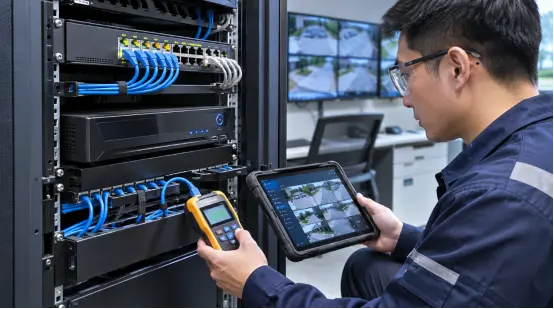
How Can a Replacement Match the Real Failure?
Turn the failed requirement into a written replacement specification. Shuoxin provides 2MP and 4MP IP zoom modules with 23x to 40x optical zoom, plus PTZ and thermal camera categories. If you plan to upgrade security camera system components, document distance, night conditions, power, protocol, bit rate, and recorder compatibility. That list answers when to replace security cameras and ties the new unit to the actual fault.
FAQ
Q1: What should you check first when a security camera stops working?
A: Check power, connectors, network status, and the camera’s IP settings. Record the symptom before restarting equipment.
Q2: Why does a camera restart when infrared lights turn on?
A: Infrared LEDs raise power demand. Low voltage, thin cable, a long power run, or an undersized PoE budget can trigger a restart.
Q3: Can a blurry security camera be repaired?
A: Cleaning, removing film, correcting focus, and fixing voltage or interference can restore the image. Recurring condensation or a damaged lens mechanism usually calls for replacement.
Q4: Why does an NVR show live video but miss recordings?
A: Check the schedule, event rules, time, channel assignment, drive health, available space, and recording bandwidth.
Q5: When should a business replace security cameras?
A: Replace them after repeated verified faults, water damage, failed night hardware, mechanical wear, unavailable security updates, or an image specification below the site’s current evidence needs.