
A camera might show a person walking into a shop. But, it might still miss their face, the cash register, or a box label. These small details decide if a video can fix a fight or a problem. The best CCTV system for small business starts with a few basic things.
You must know your key areas, what proof you need, and how long to keep the video. Your small business CCTV cameras, storage drives, power, and network tools all have to work together as one big system.
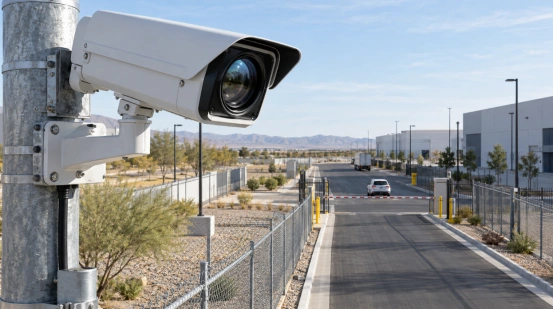
What Should Your Business Security Cameras Record?
Start by thinking about events and proof. A front door needs to show a clear face. A cash desk must show hands, items, and the pay area. Meanwhile, a stockroom might only need to record when someone walks in.
Map the Zones
Make a map of your doors, cash registers, and aisles. Also mark stockrooms, back doors, offices, loading bays, and parking spots. Check how the light looks in the morning, at night, and after dark. Sometimes, a moved shelf can hide things from the camera. This happens a lot in shops that move their goods around.
Match Detail to the Event
Pick your camera view based on the proof you might need later. A doorway needs to show real face details, not just simple movement. A cash desk can record sound if local laws and work rules say it is okay. Motion recording is perfect for a quiet storage room. Always lock your video recorder away. This stops a bad guy from stealing the video files.
Which Camera Type Fits Each Area?
The shape of a camera changes how you hang it. It also changes where it looks, how it beats the rain, and how hard it is to break into. Pick a specific camera type for each spot on your map.
Dome, Bullet, and PTZ Cameras
Dome and turret cameras look good on shop, office, and hallway ceilings. Bullet cameras work great for doors, yards, and outside walls. They point clearly in one direction. PTZ cameras can look up, down, and zoom in. They watch gates, parking lots, or loading bays. Your video box must work with those same PTZ controls.
Wired, Wireless, and PoE
Un IP camera system shrinks video files and sends them to an NVR or video site. Wired cables give every camera a safe and steady path. Wi-Fi helps in spots where running cables is too hard. But, thick walls and other networks can mess up the Wi-Fi signal. A PoE setup carries both data and power on just one wire.
How Much Image Detail Do You Need?
Resolution is just one part of a good picture. The lens, distance, frame rate, and light all change the video details. A clear wall behind a blurry face gives you very bad proof.
Resolution and Lens Choice
Common video sizes are 1080p, 5MP, 4K, and 8MP. A higher resolution makes text, faces, and cars look sharper. But, it eats up more storage space and internet speed. A 3.6mm lens covers about 90 degrees for things that are close.
An 8mm lens makes the view smaller, around 40 degrees. It works well for things far away. A 2.8-12mm lens lets you change the view right on site. Sensor size, camera height, and light also change how far you can see clearly.
Night Image Quality
Infrared makes a black-and-white night video. Starlight cameras use tiny bits of natural light. White-light cameras keep the real colors. You should test them after the sun goes down. Glass windows, shiny counters, car plates, and white walls can bounce the infrared light back. This bounce can make a person’s face look completely white.
How Do You Size an NVR for Small Business?
The video recorder controls how many cameras you can use. It also rules the internet speed, storage space, video playback, and phone access. Count your planned cameras first. Leave a few empty plugs for future cameras. Check if it handles your resolution, sound, PTZ, and alarms.
Channels and Storage
A 16-channel or 32-channel NVR fits most shops and offices. Storage uses a simple math rule. You multiply the bit rate by recording time and camera count, then divide by 8. For example, 16 channels at 2Mbps running all day for 30 days need about 3.3TB. H.265 can save almost 50 percent more space than H.264. The video still looks just as good.
Recording Modes
Non-stop recording is best for doors and cash registers. Scheduled recording works well for normal business hours. Motion recording saves a lot of space in quiet rooms. An SD card can hold your video if the network drops. It sends the video back to the main drive later.
Can Your Network Carry the Video?
A commercial CCTV system handles recording, live video, playback, and alerts. It also lets you watch from your phone. Add up all the camera bit rates and user traffic. Check your network switch, NVR speed, and internet upload speed. Leave some extra room.
PoE CCTV System Design
A PoE CCTV system needs enough switch plugs and total power for every single camera. A switch might have empty plugs but no power left to give. Backup power for the recorder, switch, and key cameras keeps your video safe during a power cut.
Secure Remote Viewing
Give each person their own account and rules. Use safe, locked phone access. Keep your camera network away from public Wi-Fi if you can. Test old video playback and live video. People usually check bad events after the shop closes.
What Should You Check before Installation?
Small business security cameras need tests in the day and at night. Look closely at faces near the door. Check hands at the counter. Watch cars where they slow down. A short test video tells you much more than a paper factsheet.
Walk the Site
Check the camera height and viewing angle. Look for bright backlights, glare, and blind spots. Cover your outdoor cable plugs. Lock up your NVR in a safe box. Write down where you put devices, wires, and passwords for later use.
Legal Checks and Maintenance
Put up local warning signs. Check your local laws about watching workers and recording sound. Every month, clean the lenses and check the video clocks. Make sure your hard drive works well. Give someone the job of fixing broken camera alerts.
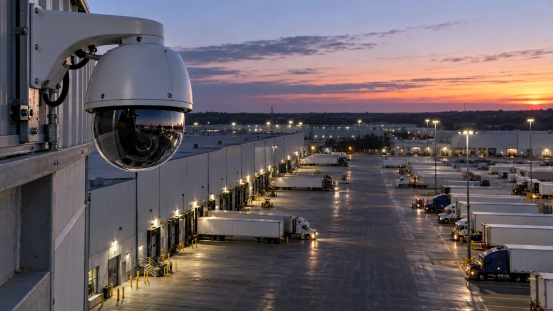
How Can a Camera Specification Follow the Site?
After you map the cameras and check the night scenes, you can pick a good seller. Also check your storage time and network speed limits. Shuoxin builds smart security tools. They sell 2MP and 4MP IP zoom modules. These have 23x to 40x optical zoom. They also have PTZ and thermal cameras. These choices fit a small site with a long gate or big yard. They work well for loading bays and dark fence lines where things look tiny.
A good plan links the lens, sensor, PTZ control, and distance to one single view. That is the best real-world test for small business CCTV cameras.
FAQ
Q1: How many CCTV cameras does a small business need?
A: Count your watched zones and proof goals. A shop might need separate views for the front door, cash desk, sales floor, stockroom, and back door.
Q2: Are wired or wireless cameras suitable for a small business?
A: Wired cameras are great for fixed spots. Wireless cameras work well in places where wires cannot go. Check the signal strength and internet speed first.
Q3: How much NVR storage does a small business need?
A: You must calculate your camera count, bit rate, and saved days. Motion recording saves hard drive space. Busy doors need longer recording schedules.
Q4: Does a small business need 4K CCTV cameras?
A: Use 4K for tiny details across a huge room. A close door can use a lower resolution with a good lens. Test the video size before you pay.
Q5: Can you view a small business CCTV system remotely?
A: Yes, an NVR gives you phone or computer access. Use personal accounts and safe passwords. Test the video playback from your house before you finish the job.