
A camera may stream perfectly on a desk, then drop every evening after it moves to a metal gate 80 meters away. An IP camera losing WiFi may face weak coverage, busy airtime, a full uplink, or a power dip when night lighting starts. Find the weak part before buying a replacement.
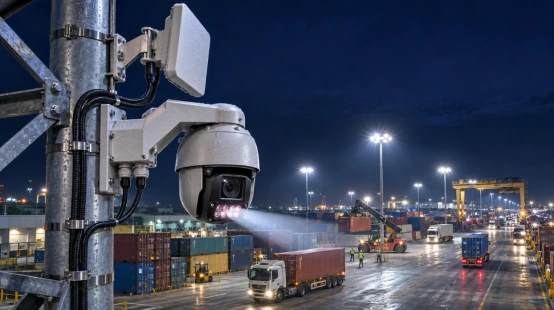
Why Do Standard IP Cameras Lose WiFi?
Most WiFi security camera connection problems begin between the camera antenna and the access point. Phone bars at ground level reveal little about a camera beside a steel pole or concrete wall.
Distance, Obstacles, and Radio Traffic
Distance reduces the wireless security camera signal. Metal doors, reinforced concrete, vehicles, and stacked goods add loss. Nearby devices compete for airtime. A camera may work at noon and fail when staff and scanners fill the channel.
Check the router, WiFi password, camera IP address, and network segment. Review available firmware. One restart is a useful test; repeated restarts hide the fault’s timing.
Can Power Problems Look Like a WiFi Dropout?
A camera reboot often appears in the network log as a disconnect. The pattern may start after sunset or during PTZ movement.
Check Voltage and Night Load
Infrared LEDs, laser illumination, heaters, wipers, and PTZ motors add load. A long, thin cable may deliver enough voltage by day and fall short at night. An undersized PoE budget causes the same symptom.
Measure voltage at the camera with night lighting active and the head moving. Check cable length, conductor size, connectors, and total PoE draw. If the security camera keeps going offline at the same evening minute, review its event log before changing radio settings.
How Do Bit Rate and Live Viewing Strain the Link?
Each camera sends a compressed stream, and live viewers add traffic. A 4 MP image at a high frame rate asks more from the access point, switch uplink, recorder, and remote connection.
Separate Recording from Remote Viewing
Add the bit rates for every camera on the link, then allow for live viewing and network overhead. Check the switch uplink and recorder input limit.
Use the main stream for recording and a lighter substream for remote viewing. This is a practical part of IP camera WiFi troubleshooting when video freezes after several users open it.
Which Quick Fixes Are Worth Trying?
Change one condition at a time and record when the connection fails. That small habit saves a surprising amount of ladder work.
Test the Link at the Camera
Measure signal, packet loss, and usable throughput at the installed height during busy hours. Move the access point or add an outdoor unit with wired backhaul. Select a cleaner channel after a survey. Reserve the camera IP and confirm the gateway.
For a short cable route, a wired PoE security camera gives video and power a defined path. Check the switch’s per-port and total power.
Keep Recording During an Outage
Edge storage for security cameras limits the footage gap. A compatible camera writes its main stream to an SD or TF card during failure. Automatic network replenishment can transfer that video to the recorder after reconnection. Test the recovery process.
When Should You Replace WiFi with Another Link?
WiFi suits small areas with modest traffic and controlled interference. Highway shoulders, moving vehicles, remote fences, and long yards present harder radio conditions. Regular dropouts after a site survey point to a transport mismatch.
Choose the Transport for the Site
Use Ethernet or fiber for fixed critical points where cable routes exist. A surveyed point-to-point wireless bridge can span an open gap. A managed 4G link can serve a mobile or remote location, subject to coverage, data capacity, and latency. These paths can feed a rugged PTZ and zoom system through a dedicated route separate from the earlier office WiFi.
What Makes a Rugged PTZ a Practical Alternative?
A rugged PTZ camera provides pan, tilt, optical zoom, and an outdoor housing. Its network transport remains a separate project choice.
Match the Housing, Lens, and Control Route
For an outdoor PTZ security camera, check its stated IP grade, temperature, vibration requirement, wiper or defog equipment, and connectors. Match zoom and night illumination to the target distance. Select a long range PTZ camera for a defined task such as recognizing a vehicle at a named distance.
Confirm control compatibility too. ONVIF can carry video and PTZ functions when both ends support the required profile. RTSP carries video, so it does not provide PTZ control by itself. RS485 may handle movement on some systems. List every required command during integration.
Pair Wide Coverage with Fixed Views
PTZ movement leaves the previous direction outside the current view. Keep fixed cameras on chokepoints, then use PTZ for area search and detail. A vehicle PTZ camera also needs a mounting envelope, vibration check, vehicle power review, and cable clearance through its movement path.
What Should You Test before Final Installation?
Acceptance testing should reproduce the site’s hardest hour. Daytime bench video says little about night power, radio traffic, rain, or moving machinery.
Run a Day and Night Acceptance Test
Test live video, recording, zoom, presets, and recovery after a network interruption. Repeat with night illumination active and the PTZ moving. Review detail at the required distance and confirm the expected stream and commands. For an industrial PTZ camera, include temperature, vibration, electromagnetic interference, grounding, and surge protection.
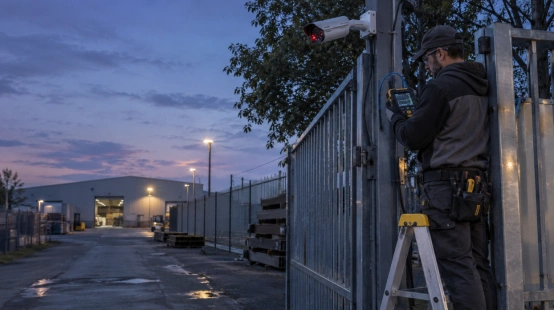
How Can the Replacement Match the Weak Link?
Once the failed link is known, the camera specification can follow the real job. شوكسين lists vehicle, highway, marine, heavy-load, rapid-deployment, thermal, and multi-spectral PTZ options. Current vehicle models include 33x optical zoom, continuous pan, ONVIF and RS485 control, IP66 housings, shock absorbers, and night-view choices rated at 150 or 500 meters on the respective product pages.
The project still needs written confirmation for its exact power, mounting, thermal channel, control profile, and environmental limits. That review connects the selected PTZ to the transport and power design and keeps the original weak point out of the new installation.
الأسئلة الشائعة
Q1: Why Does Your IP Camera Lose WiFi at Night?
A: Check voltage while infrared, laser, heaters, or PTZ motors are active. A night load can reboot the camera and appear as a WiFi failure.
Q2: How Can You Tell Whether the Signal or Camera Is Failing?
A: Compare camera uptime with access-point logs, then test signal, packet loss, and throughput at the mount. A reboot record points toward power or hardware.
Q3: Will a Rugged PTZ Camera Fix a Weak WiFi Link?
A: The housing and mechanics address outdoor and movement demands. The PTZ still needs a suitable Ethernet, fiber, wireless bridge, or cellular path.
Q4: When Should You Choose a Wired Link?
A: Choose wiring for fixed critical views, sustained high bit rates, heavy interference, or sites where footage continuity matters more than fast deployment.
Q5: Can a Camera Record While the Network Is Down?
A: A compatible camera can record to local media. Automatic network replenishment can move the stored footage to the recorder after reconnection.