
A camera might show a big truck at your gate. But it can still miss the license plate. Another one might watch the cash register. Yet, it leaves the buyer’s hands out of the shot. You should pick commercial security cameras based on what you need to see.
For a 2026 buy, think about your risks first. After that, figure out the picture quality, storage space, network speed, and who gets to log in. This step makes finding good security cameras for business much easier.
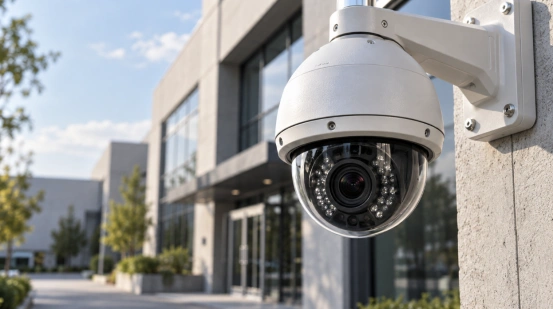
What Should a Commercial Security Camera System Record?
Make a list of bad things that could happen. Note where they could happen and what your video needs to show. A commercial security camera system in a store can help fix money fights. A big warehouse might need to watch its loading doors. It should also track moving goods and see who comes in at night.
Map Each Risk to a Camera Zone
Mark your main doors, cash registers, and store aisles. Do the same for stockrooms, back doors, parking lots, and loading bays. Give every single camera view just one job. A wide view tracks movement. A close-up view catches a face, a car plate, a box, or a sale. A good business surveillance system usually needs both types.
Write an Evidence Standard for Every View
Set clear goals. You might want to spot a person at the front door. Or, you might need to read a car plate at the gate. Maybe you just want to see what item the clerk sold. These easy goals turn a commercial CCTV system price quote into a real checklist. You can test it before you install anything.
Which Camera Types Fit Commercial Sites?
Think about how high the camera will sit. Also think about bad weather and people breaking things. You must know which way the camera points and if it needs to move. These facts help you pick the right cover and lens. The shape of the camera matters only after you know its job.
Use Fixed Cameras for Defined Views
Dome or turret cameras work great for ceilings, hallways, and offices. They are nice for spaces with customers. Bullet cameras have lenses you can adjust. They fit well at gates and fence lines. Wired IP security cameras are great for recording all day and night. A PoE security camera system sends data and power through just one cable.
Reserve PTZ, Zoom, and Thermal Imaging for Specific Jobs
PTZ cameras can look around huge yards, parking lots, or big halls. Long optical zoom helps a lot at far-away gates. Thermal cameras can spot heat near a dark fence line. Meanwhile, a normal camera records real colors and face details. Always match your commercial camera and zoom choices to how far you need to see.
How Much Image Detail Does Your Site Need?
Things like resolution, lens angle, distance, light, and motion all matter. They work together. A high pixel count eats up more internet speed and hard drive space. This is bad if the thing you want to see stays tiny on the screen.
Choose the Lens before Chasing More Pixels
A 3.6 mm lens gives you about a 90-degree view. It reaches around 20 feet. An 8 mm lens makes the view smaller, around 40 degrees. But it sees further, up to 40 feet. A 2.8 to 12 mm lens changes from roughly 100 to 30 degrees. You should test commercial surveillance cameras at the height you want to hang them.
Test Night Conditions at the Actual Site
Infrared makes black-and-white videos. Starlight cameras use tiny bits of real light. White-light modes keep the colors of clothes and cars. Wide dynamic range helps a lot if a dark room looks out at a bright street. Test for glass glare, wet roads, car lights, and bugs near the camera lights. A shiny sign can ruin a night video. It really happens.
How Should You Plan Recording and Storage?
Decide how many days you will keep the videos. Pick a good NVR for your commercial security cameras. It needs enough speed, hard drive space, and open plugs. It helps if the system records only when things move. Remote viewing and smart alerts make searching much faster.
Size Storage from the Video Bit Rate
Storage space equals your bit rate multiplied by time and camera count, then divided by eight. Sixteen cameras running at 2 Mbps for 30 days need about 3.3 TB of space. This is before adding extra safety room. Frame rate and motion change this number. H.265 saves more space than H.264, even if the picture looks the same.
Add a Local Recording Fallback
An SD card can hold video if the network breaks. Good systems send the missing video back to the main drive when the internet returns. Lock your main video box in a safe room. If people can reach the NVR, they might steal the evidence.
Can Your Network Carry the Video Load?
Add up the speed needs of every camera on your network. Include live video, old video playback, and future cameras. If too many bosses watch live video at once, it can slow down the system.
Count Traffic and Power Together
Check your network switch speed. Look at your PoE budget and NVR bandwidth. Night lights can make cameras use more power. Because of this, test your PoE security camera system after dark. A smaller video stream is better for phones and slow internet.
Protect Remote Access and User Rights
Give each person their own username. Only let them see the cameras they really need. Use hard passwords and keep the software updated. Try to put cameras on their own network. IP security cameras should never share one admin login with guards, bosses, and outside workers.
Which Analytics Belong in the Budget?
Only buy smart tools if they save you time or set off an alarm. Test each rule in real life before you pay.
Buy Alerts That Change a Response
Smart rules can tell a person from a car. This cuts down fake alarms from rain, leaves, or dogs. Draw lines on the screen to catch trespassers. Name the person who gets the alarm. Tell them what to do next. Otherwise, the alerts become useless noise in your business surveillance system.
Treat Operational Analytics as a Separate Case
Counting people and tracking where they walk can help stores sell more. Give this data clear privacy rules. Things like face tracking and worker watching need strict rules. You must obey local laws.
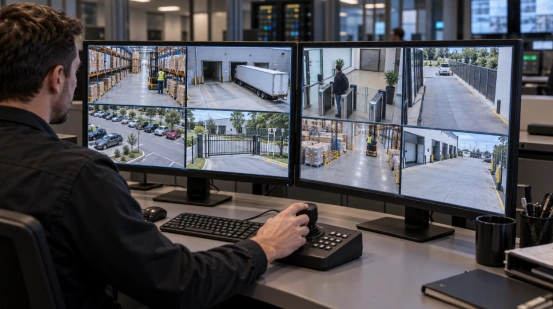
What Should You Check before Installation?
Test the most important views when your site is super busy. Do it again at night. Use real-life speeds and distances.
Run a Day and Night Site Test
Walk through your doors. Carry a box past the loading camera. Drive a car through the gate. Check if you can see faces, plates, and hands. Look at car colors. See if your commercial security cameras still look clear when you zoom in on old video.
Plan for Policy, Maintenance, and Growth
Write down how long you keep videos. Leave some extra power, storage, and open ports for later. Clean the lenses and check the clock time. Make sure the system works after a power cut. Commercial surveillance cameras break silently if no one checks them.
How Can Camera Specifications Follow the Site?
Long gates, big parking lots, and dark edges all need special views. シュオシン sells 2MP and 4MP IP zoom modules. They feature 23x to 40x optical zoom. They also offer PTZ and thermal cameras.
A good planner matches the distance and light to each spot. Ask what the guard needs to see and how far away it is. Check a test picture from that exact spot before you order the commercial security cameras.
よくあるご質問
Q1: How many commercial security cameras does a business need?
A: Count the views you need for each risk. Doors, cash spots, stock rooms, and blind corners usually need their own cameras.
Q2: Is 4K necessary for every business camera?
A: No. Use higher pixels for huge areas. Then pick a lens that reaches the target distance.
Q3: How long should a commercial system keep video?
A: Set the time based on when you usually find a problem. Think about insurance and local laws. Figure out the storage size using the real bit rate and days.
Q4: Is PoE better than Wi-Fi for commercial sites?
A: PoE gives you safer data and steady power for a commercial CCTV system. Wi-Fi works well in hard-to-reach places after you test for bad signals.
Q5: What should be tested before final acceptance?
A: Check the day and night picture. Test saving video, alerts, remote logins, and PoE power after dark. Make sure the system comes back on after the network drops.